Home / How it works
How it works
You ask. It picks.
Tell HomeGrow AI what you want. It finds what's ripe, picks it with an arm inside the unit, and keeps it cold until you come get it.
The app
The app, step by step.
Everything happens from your phone. No gardening know how needed.
-
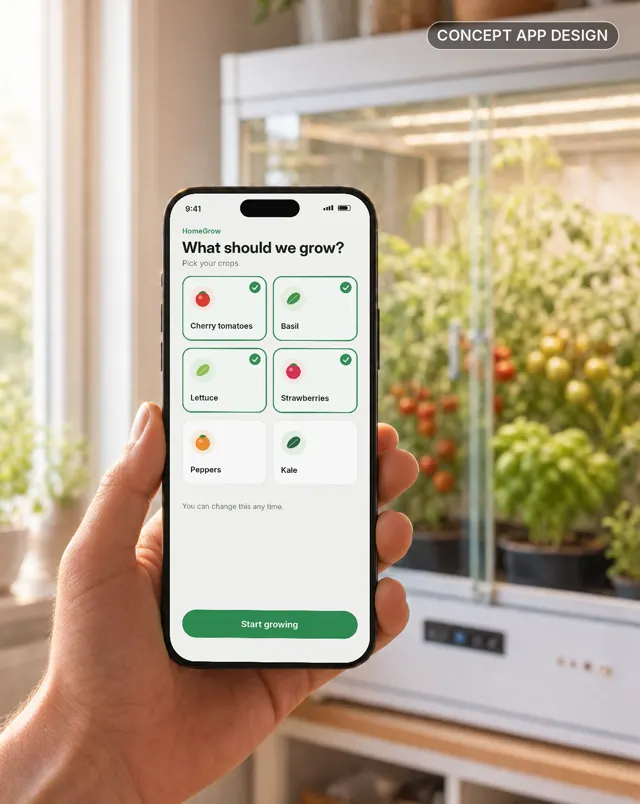
Step 1
Pick your fruits and veggies
Choose what to grow. It tells you which seed cartridges to add.
-
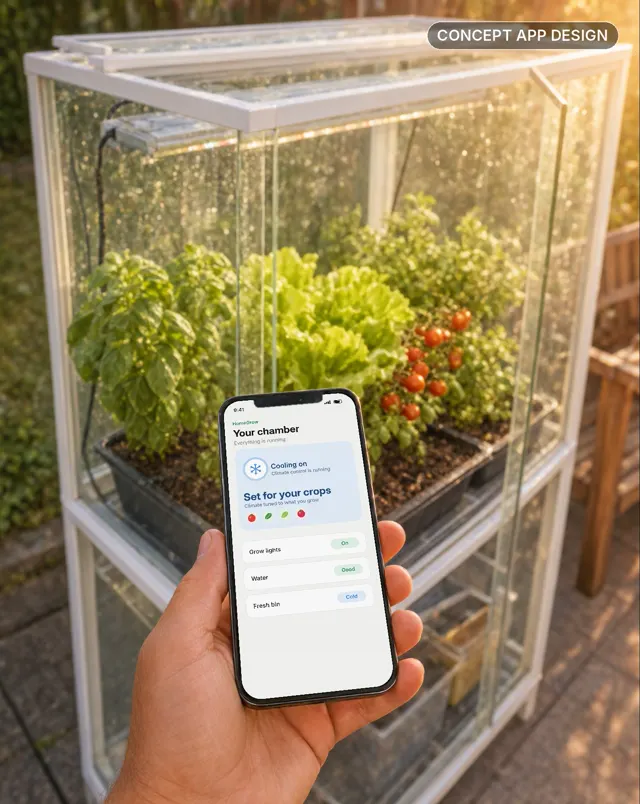
Step 2
It sets the chamber for those crops
It cools the chamber in the heat and heats it in the cold, for what you planted and how far along it is. The roots stay cool too.
-
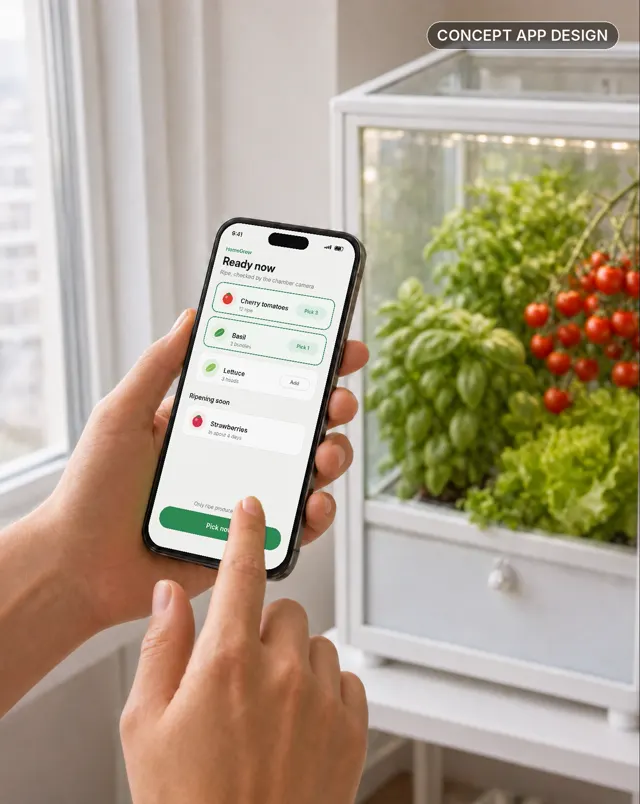
Step 3
See what's ripe, tap to pick
Cameras check every plant and show what is ready. Ask for an amount, now or for the morning, and the arm picks only ripe produce.
-
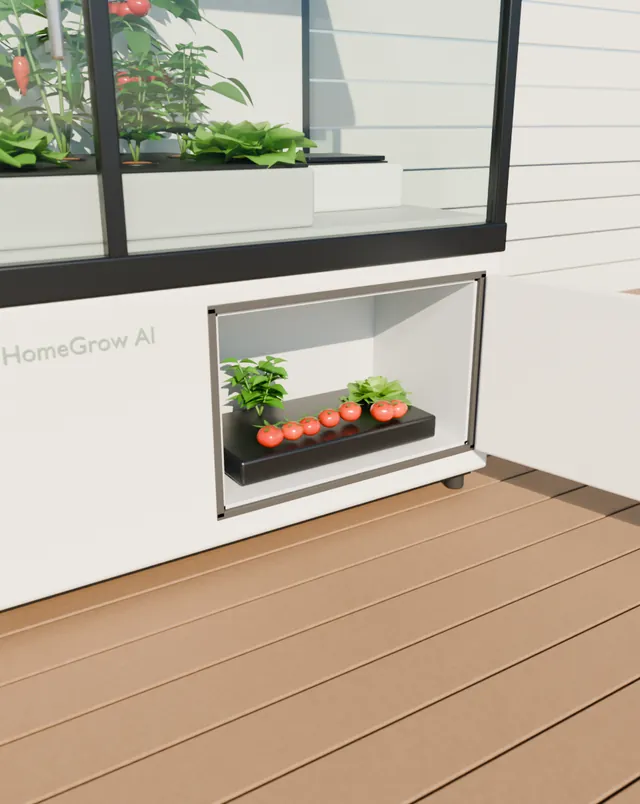 Concept render
Step 4
It waits in the cold fresh bin
It counts what went in, then sends a notice with a photo, like "Tomatoes and basil are in your fresh bin." Unlock the bin and take it.
Concept app design. Screens and rooms are illustrations of a product in development.
Asking
Ask in plain words.
Tap it, type it or say it to your voice assistant. Ask by count, by bundle, or just say what you're making.
By count
"3 tomatoes"
By bundle
"1 basil bundle"
In plain words
"enough for a salad tonight"
The app shows what's ready now, and when the rest should be ripe.
Ripeness
Cameras find what's ripe.
Cameras inside the unit look at color, size and shape, and only pick produce that's ready.
Ripest first
It favors what's ripest, or what would go past its best soonest, and takes only as many as you asked for.
Not ready yet?
It tells you. Take part now, pick a substitute, or schedule the pick for when it should be ready.
Saved for you
It can set aside specific produce that's still ripening for your order, so it's there when it's ready.
Picking
An arm inside does the picking.
Up above the plants
The arm hangs from the top of the unit and moves over every plant, so the trays below stay clear.
A close look first
A camera rides on the arm, so it sees each fruit up close before it grips or cuts.
Gentle on produce
Soft grippers or snips do the picking, and it checks that each one came free.
Out of the weather
The arm lives inside the closed unit, out of the rain, dust and direct sun.
The fresh bin
Straight into the fresh bin.
Your produce goes from the plant into a cooled bin with its own door. You never open the growing chamber.
- It weighs and counts what went in, and picks one more if it's short.
- You get a note with a photo, like "Your 3 tomatoes are ready in the fresh bin"
- The fresh bin holds picked produce cold: about 34 to 45°F for greens and herbs, and about 50 to 60°F for tomatoes. These are storage temps, not growing temps.
- The door can lock and open from the app.
Every day
It takes care of the rest.
The picking is the fun part. The daily work runs on its own.
Daily care
Watering, feeding, light, cooling, heating, pollination and pruning run on their own.
Every season
You choose the fruits and veggies. It cools the chamber in summer heat and heats it when it turns cold, set for what they need and how far along they are.
Watches for trouble
It looks for wilt, heat stress, pests and leaks, fixes what it can and tells you about the rest.
Plans ahead
Ask for salsa ingredients next Saturday and it works out what to plant and when.
Standing orders
A basil bundle every Sunday or salad greens every week. Picks can run early in the morning, when produce is cool and crisp.
Keeps going offline
If your wifi drops, watering, light, cooling and heating keep running.
Every season
Built for both seasons.
The same closed pod is designed for summer heat and cold weather. You never change a setting for the season.
In the heat
It cools the chamber for the crops you planted and chills the root water.
In the cold
A heater warms the chamber when it turns cold outside.
All year
Insulated panels and a closed chamber keep your crops out of the weather.
Get in line for an early unit.
Add your name and email. Early units start in the Austin area.
We only use your email to tell you when early units open near you. This site uses Google Analytics to count visits.